Powerful JSON Tools

JSON Splitter Online

Split large JSON files into organized, manageable chunks with our advanced splitting tool

No installation requiredCompletely FreeNo signup neededTry with sample JSON
JSON Splitter
Easily split large JSON files with intuitive controls and real-time preview

No file selected

Upload a JSON file to get started

How Splitting Works

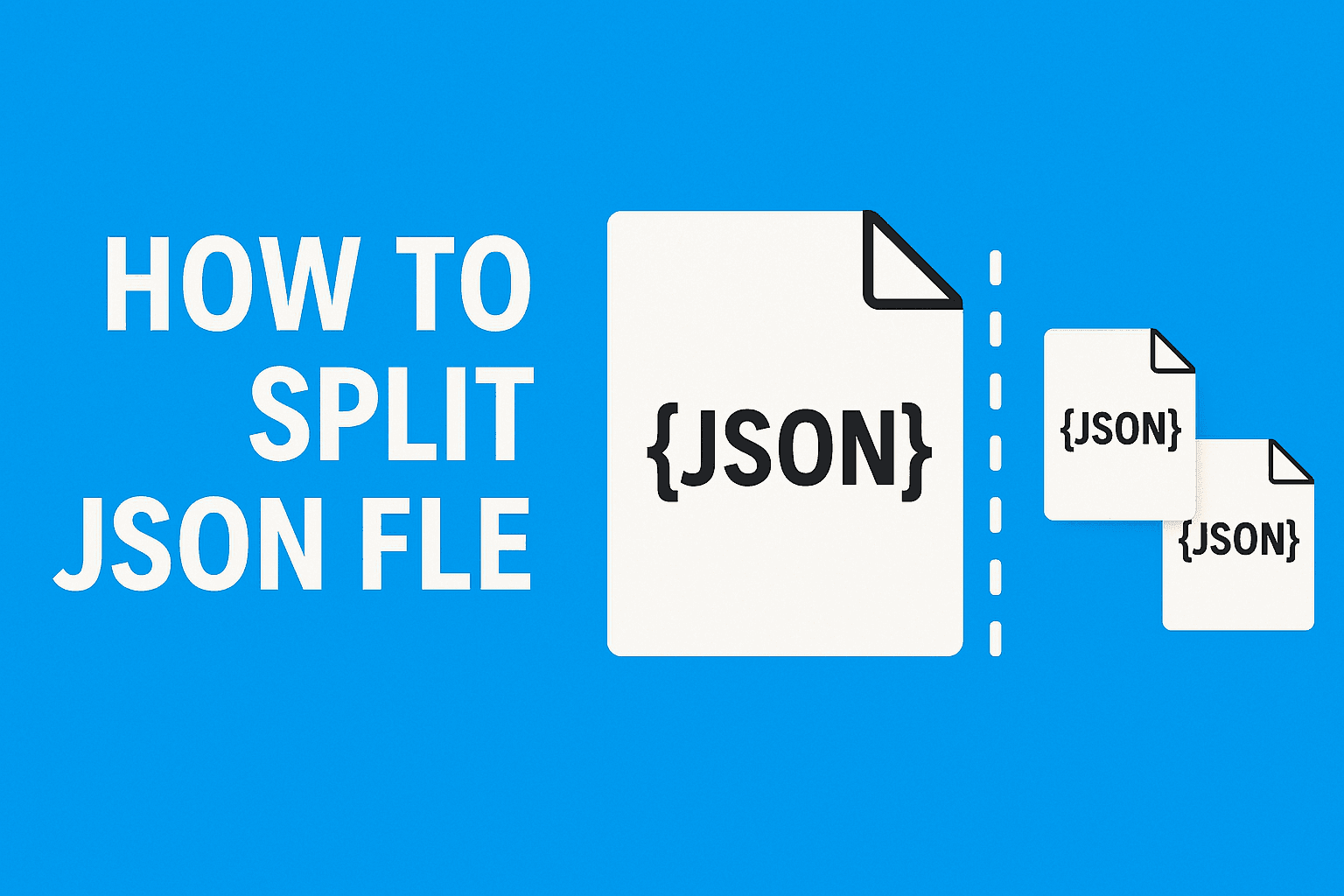
Visualize the Split

See exactly how our tool breaks large JSON files into smaller, perfectly valid chunks

Split by File Size

data.json50 MB
chunk_1.json10 MB
chunk_2.json10 MB
chunk_3.json10 MB
chunk_4.json10 MB
chunk_5.json10 MB

Split by Array Count

users.json[10,000 items]
chunk_1.json[2,000 items]
chunk_2.json[2,000 items]
chunk_3.json[2,000 items]
chunk_4.json[2,000 items]
chunk_5.json[2,000 items]
Before and After

See the Result

A JSON array with 6 user objects split into two chunk files of 3 items each

Original File (users.json)
json
[
  { "id": 1, "name": "Alice", "role": "admin" },
  { "id": 2, "name": "Bob", "role": "editor" },
  { "id": 3, "name": "Charlie", "role": "viewer" },
  { "id": 4, "name": "Diana", "role": "admin" },
  { "id": 5, "name": "Eve", "role": "editor" },
  { "id": 6, "name": "Frank", "role": "viewer" }
]
Split Output (2 chunks)
json
// chunk_1.json
[
  { "id": 1, "name": "Alice", "role": "admin" },
  { "id": 2, "name": "Bob", "role": "editor" },
  { "id": 3, "name": "Charlie", "role": "viewer" }
]

// chunk_2.json
[
  { "id": 4, "name": "Diana", "role": "admin" },
  { "id": 5, "name": "Eve", "role": "editor" },
  { "id": 6, "name": "Frank", "role": "viewer" }
]
Programmatic Splitting

Code Examples

Prefer scripting? Here is how to split JSON files with Python and jq from the command line

pythonsplit_json.py
import json, math, sys

with open("large_file.json") as f:
    data = json.load(f)

chunk_size = 2000
chunks = [data[i:i+chunk_size] for i in range(0, len(data), chunk_size)]

for idx, chunk in enumerate(chunks):
    with open(f"chunk_{idx+1}.json", "w") as out:
        json.dump(chunk, out, indent=2)

print(f"Split into {len(chunks)} files")
bashsplit_json.sh
# Split a JSON array into chunks of 1000 items each
jq -c '[., range(0; length; 1000)] | .[]' large_file.json \
  | jq -s '.' \
  | split -l 1000 - chunk_

# Or use jq to extract by size (e.g., first 500 items)
jq '.[0:500]' large_file.json > chunk_1.json
jq '.[500:1000]' large_file.json > chunk_2.json

# Split by key pattern
jq 'to_entries | group_by(.key[0:1])
  | .[] | from_entries' large_object.json
Real-World Scenarios

When to Split JSON

Common situations where splitting a large JSON file is the fastest way to get unblocked

API Payload Limits

Break oversized JSON responses into chunks that fit within API gateway limits (e.g., AWS 10MB, Shopify 5MB) so each request succeeds without truncation.

Database Batch Imports

Split a massive JSON export into smaller batches for sequential database imports, avoiding transaction timeouts and memory pressure on your DB server.

Parallel Processing

Divide a large dataset into N chunks and process them concurrently across workers, threads, or serverless functions for dramatically faster throughput.

Editor-Friendly Sizes

Turn a 500MB JSON dump into files small enough to open in VS Code or Sublime without freezing, so you can actually inspect and edit the data.

Common Questions

Frequently Asked Questions

Find answers to common questions about our JSON splitter tool

Try Splitting with Sample JSON Files

Expert Knowledge

How to Split JSON files - A Comprehensive Guide

Discover how to split JSON files efficiently with our advanced online JSON splitter tool, and learn expert tips on how to split JSON files for your data management needs.

Table of Contents

Introduction to JSON and Its Significance

JSON is the backbone of modern web development — it's in every API response, every config file, every data export. Most of the time that's great. But when your JSON file hits 200MB and your editor freezes trying to open it, you've got a problem.

I first needed to split JSON files when working with a large product catalog API. The response was a single massive array with 50,000+ items, and nothing downstream could handle it in one piece. Sound familiar?

This guide covers when and why you'd want to split JSON files, how to do it without breaking your data, and the different splitting strategies that work for different situations.

Before: One Massive File
json
// large_users.json  (200 MB, 50,000 items)
[
  { "id": 1, "name": "Alice", "email": "alice@example.com", "role": "admin" },
  { "id": 2, "name": "Bob", "email": "bob@example.com", "role": "editor" },
  { "id": 3, "name": "Charlie", "email": "charlie@example.com", "role": "viewer" },
  // ... 49,997 more items
]
After: Manageable Chunks
json
// chunk_1.json  (40 MB, 10,000 items)
[
  { "id": 1, "name": "Alice", "email": "alice@example.com", "role": "admin" },
  { "id": 2, "name": "Bob", "email": "bob@example.com", "role": "editor" },
  // ... 9,998 more items
]

// chunk_2.json  (40 MB, 10,000 items)
[
  { "id": 10001, "name": "Karen", "email": "karen@example.com", "role": "admin" },
  // ... 9,999 more items
]

Why Split JSON Files?

Here are the situations where splitting a JSON file actually makes sense:

  • Performance Optimization: Large JSON files can slow down applications. Splitting them into smaller files can improve load times and overall performance.
  • Data Organization: Breaking up a monolithic JSON file into logically grouped segments can simplify data management and enhance readability.
  • Error Isolation: If a JSON file contains errors, splitting it can help isolate and identify the problematic segments quickly.
  • Scalability: When dealing with large datasets, splitting files makes it easier to handle and process data in parallel.

If you've been putting off dealing with an oversized JSON file, splitting it is usually the fastest path to getting unblocked.

Benefits of Using a JSON Splitter Tool Online

You could write a quick Python script to split JSON. But if you're doing it more than once, or you're not sure exactly how you want to split it yet, a visual tool is faster. Here's what you get:

  • Speed: Our tool quickly processes even the largest JSON files, allowing you to split JSON files online in seconds.
  • Accuracy: Built-in error checking and validation ensure that your JSON segments are split correctly without any data loss.
  • Ease of Use: With an intuitive interface, both beginners and advanced users can easily navigate the JSON splitting process.
  • Flexibility: Customize how your JSON file is split – whether by keys, array items, or specific data points – to suit your unique requirements.

A good splitter tool takes the guesswork out of the process and saves you from writing throwaway scripts every time a file is too big.

Step-by-Step Guide: How to Split Multiple JSON Files

Follow these detailed steps to learn how to split JSON files efficiently using our online tool:

Step 1: Prepare Your JSON Data

Ensure your JSON file is well-formatted and valid. Use online validators or your code editor's linting tools to verify that your JSON adheres to the proper structure.

  • Validate your JSON file to ensure there are no syntax errors.
  • Identify the sections or keys where you want to split the file.
  • Back up your original file to avoid any data loss.

Step 2: Access the JSON Splitter Tool

Navigate to our online JSON splitter tool. The user-friendly interface allows you to upload your JSON file quickly using drag-and-drop functionality.

Step 3: Choose Your Splitting Criteria

Select the criteria for splitting your JSON file. Options may include splitting by key, by array length, or by custom delimiters. These options ensure that you get the exact segments needed for your project.

  • Decide whether to split by a specific key or by a set number of items.
  • Customize the output structure to suit your workflow.

Step 4: Execute the Split Process

Once you have configured your settings, click the "Split" button. The tool will process your JSON file and generate separate files based on your criteria. Preview the results to confirm accuracy.

Step 5: Download and Integrate the Split Files

After verifying that the JSON has been split correctly, download the output files. These files can now be used individually or integrated back into your applications as needed.

Best Practices for Splitting JSON Files

To ensure optimal results and data integrity when splitting JSON files, consider these best practices:

Maintain Data Consistency

Ensure that your JSON segments follow a consistent structure, making it easier to process and reassemble if needed.

Create Backups

Always backup your original JSON files before performing any splits. This protects against accidental data loss and provides a restore point.

Test Each Segment

Validate each split file individually using JSON validators to ensure that no errors have been introduced during the process.

Document Your Process

Keeping a record of your splitting criteria and process can help with future troubleshooting and improvements.

Advanced Techniques for Complex JSON Splitting

When dealing with intricate JSON structures, more sophisticated methods may be necessary. Here are some advanced techniques:

Dynamic Splitting

Use dynamic criteria to split JSON files based on content patterns or specific data values, allowing for more customized segmentation.

pythondynamic_split.py
import json, os

def split_by_size(filepath, max_mb=5):
    max_bytes = max_mb * 1024 * 1024
    with open(filepath) as f:
        data = json.load(f)
    chunk, chunks, size = [], [], 0
    for item in data:
        item_size = len(json.dumps(item).encode("utf-8"))
        if size + item_size > max_bytes and chunk:
            chunks.append(chunk)
            chunk, size = [], 0
        chunk.append(item)
        size += item_size
    if chunk:
        chunks.append(chunk)
    for i, c in enumerate(chunks):
        with open(f"chunk_{i+1}.json", "w") as out:
            json.dump(c, out, indent=2)
    print(f"Created {len(chunks)} chunks (max ~{max_mb} MB each)")

split_by_size("large_file.json", max_mb=5)

Conditional Splitting

Implement conditions to split the JSON only when certain criteria are met. This is particularly useful for datasets with varying structures.

Automation and Scripting

Integrate the JSON splitter tool into your automated workflows using scripts and APIs, making it an integral part of your data processing pipeline.

bashsplit_json.sh
#!/usr/bin/env bash
# split_json.sh — split a JSON array into N-item chunks using jq
set -euo pipefail

INPUT="$1"
CHUNK_SIZE="${2:-1000}"
TOTAL=$(jq 'length' "$INPUT")
CHUNKS=$(( (TOTAL + CHUNK_SIZE - 1) / CHUNK_SIZE ))

echo "Splitting $TOTAL items into $CHUNKS chunks of $CHUNK_SIZE..."

for (( i=0; i<CHUNKS; i++ )); do
  START=$((i * CHUNK_SIZE))
  jq ".[$START:$((START + CHUNK_SIZE))]" "$INPUT" > "chunk_$((i+1)).json"
  echo "  -> chunk_$((i+1)).json  ($CHUNK_SIZE items)"
done

echo "Done. $CHUNKS files created."

Integrating JSON Splitting Into Your Workflow

Incorporating our online JSON files splitter tool into your workflow can transform your data handling processes. Here's how:

  • Automation: Embed the tool in your CI/CD pipeline to ensure your data is always processed efficiently.
  • Modularity: Combine the splitter with other data management tools for a seamless workflow.
  • Collaboration: Easily share split JSON segments with your team for improved collaboration and troubleshooting.
  • Cost-Effective: Save time and reduce overhead by automating the file splitting process.

By integrating the splitter into your routine, you can focus more on core development tasks and less on manual data processing.

Practice Splitting with Sample Files

Conclusion

Splitting JSON files is one of those tasks that sounds trivial until you're staring at a 500MB file wondering where to even start. Whether you need to break up a dataset for batch processing, chunk an API response for smaller consumers, or just get a file small enough to open in your editor, the tool above handles it without fuss.

Everything runs in your browser, so your data stays on your machine. Pick your splitting strategy, adjust the settings, and download the chunks. That's it.