9 Best XML Editors for Mac in 2026 (Free & Paid)

On this page
The best XML editor for your Mac depends on what you need to do with the file. A text editor is enough for changing a configuration value or cleaning up indentation. Schema-driven work is different: XSD validation, XML catalogs, XSLT debugging, and XQuery require tools that understand more than XML syntax.
For most developers, Visual Studio Code with Red Hat's XML extension is the best free starting point. It adds schema-aware completion, validation, formatting, and document navigation to an editor many teams already use. oXygen XML Editor is the stronger choice when XML is the work rather than one file format among many. BBEdit and CotEditor are better fits for people who want a focused Mac app without a full IDE.
This guide compares nine current options by XML capability, Mac compatibility, price model, and workflow. The recommendations are based on current product documentation and release information, not claimed hands-on benchmark results.
The 9 Best XML Editors for Mac in 2026
1. Visual Studio Code + XML Extension
Visual Studio Code is the most practical free choice for developers who also work with source code, configuration files, or project repositories. Install the XML extension by Red Hat to add XML-aware features.
The extension supports XSD and DTD validation, schema-based completion, formatting, document symbols, folding, and XML catalogs. It can associate schemas through declarations in the document or through workspace settings, which is useful when a project keeps schemas outside the XML file.
Install VS Code with Homebrew:
brew install --cask visual-studio-codeThen open Extensions with Cmd + Shift + X, search for XML by Red Hat, and install it.
Best for: everyday development, configuration files, Maven POMs, SVG source, and projects that validate against XSD or DTD.
Keep in mind: the Red Hat extension documents validation and authoring features, but it is not a full XSLT or XQuery development suite. Use oXygen when you need transformation debugging or advanced query tooling.
2. Sublime Text + Indent XML
Sublime Text is a focused cross-platform editor that works well when you want to inspect or change XML without opening a larger development environment. Its multiple selections, project search, and keyboard-driven navigation are useful for repetitive tag or attribute changes.
Install it with Homebrew:
brew install --cask sublime-textFor readable formatting, install Indent XML through Package Control. The package can reindent a complete XML document, selected text, or multiple selections. On macOS, its default formatting shortcut is Cmd + K, followed by Cmd + F.
Best for: quick source-level edits, search-and-replace work, and users who already prefer Sublime Text.
Keep in mind: Indent XML is a formatter, not a schema validator. Add a separate linter or choose VS Code, Nova, or oXygen if XSD-aware diagnostics are essential.
3. oXygen XML Editor
oXygen XML Editor is the most complete option in this list for professional XML authoring. It combines validation with XSLT and XQuery development, schema tools, XML databases, and publishing workflows.
The current documentation covers XSLT and XQuery debugging, visual XML Schema editing, DITA and DocBook authoring, transformation scenarios, XML databases, and support for validation technologies such as XSD, RELAX NG, and Schematron. A 30-day trial is available; continued use requires a paid license.
Best for: XSLT developers, technical writers, schema designers, publishing teams, and complex XML projects with several related standards.
Keep in mind: its depth also means more interface and setup than a general text editor. It is difficult to justify for occasional changes to small configuration files.
XML Editor Comparison Table
4. BBEdit
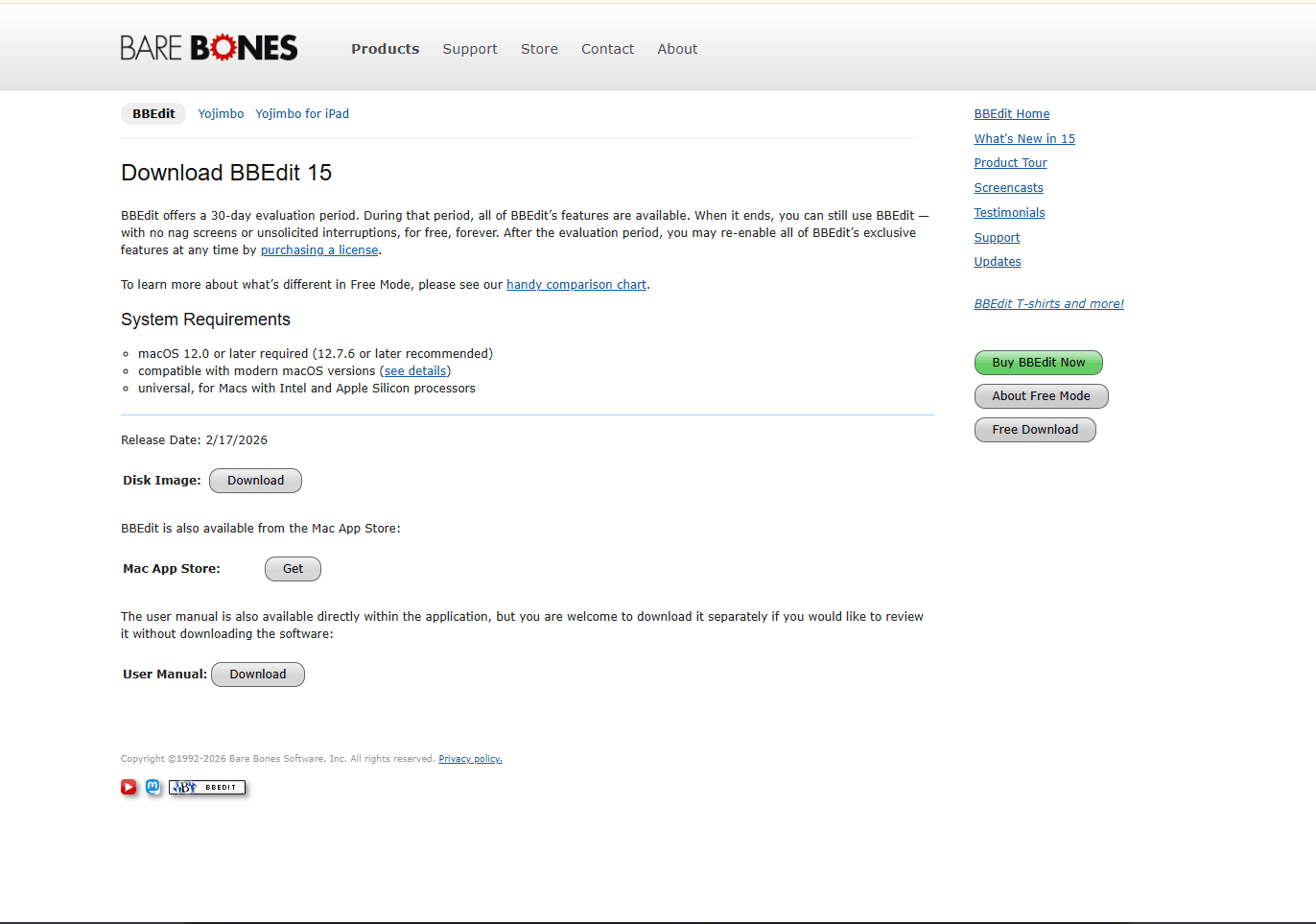
BBEdit is a long-established macOS text editor for code, markup, logs, and prose. Its XML syntax coloring, built-in syntax checker, powerful search, and text transformation tools make it a dependable choice for source-level XML work.
BBEdit includes a 30-day evaluation with all features. After that period, it continues in a reduced free mode, or you can restore the full feature set with a license or Mac App Store subscription. The current BBEdit 16 release supports Intel and Apple silicon Macs and requires a recent macOS version.
Install it with Homebrew:
brew install --cask bbeditBest for: Mac users who value native interface conventions, excellent multi-file search, encoding controls, and reliable plain-text editing.
Keep in mind: BBEdit can check XML syntax, but it does not replace a schema-aware environment such as VS Code with Red Hat XML or oXygen.
5. CotEditor

CotEditor is a free, open-source plain-text editor designed specifically for macOS. It offers syntax highlighting, regular-expression search and replace, split editors, encoding detection, incompatible-character warnings, and an interface built around standard Mac conventions.
That makes it a good fit for XML files that need careful text editing but no schema tooling. You can inspect namespaces, edit attributes, fix indentation manually, and control file encoding without the extra panels of an IDE.
The current stable CotEditor 7 release requires macOS 15 or later. Older releases remain available from the project's archives for older Macs.
Best for: simple XML edits, users who want a free Mac-native app, and files where encoding needs attention.
Keep in mind: CotEditor is a text editor. It does not provide XSD validation, XSLT debugging, or a visual XML tree.
6. Nova + XML Extension
Nova is Panic's Mac-native code editor. With the community XML extension, it gains XML linting, schema support, completion, formatting, tag renaming, and diagnostics in Nova's Issues sidebar.
The extension runs the LemMinX language server as a universal native binary and supports local XML catalogs. It therefore offers a useful middle ground between a plain-text Mac editor and a specialist suite.
Nova provides a full-featured 30-day trial and then requires a paid license. Nova 14 requires macOS 15 or later and supports both Intel and Apple silicon Macs.
Best for: developers who want a polished Mac-native project editor with schema-aware XML assistance.
Keep in mind: the XML extension describes itself as prerelease software and says that some functionality is still in progress. Check its issue tracker before relying on it for a critical validation workflow.
7. CodeBeautify XML Editor
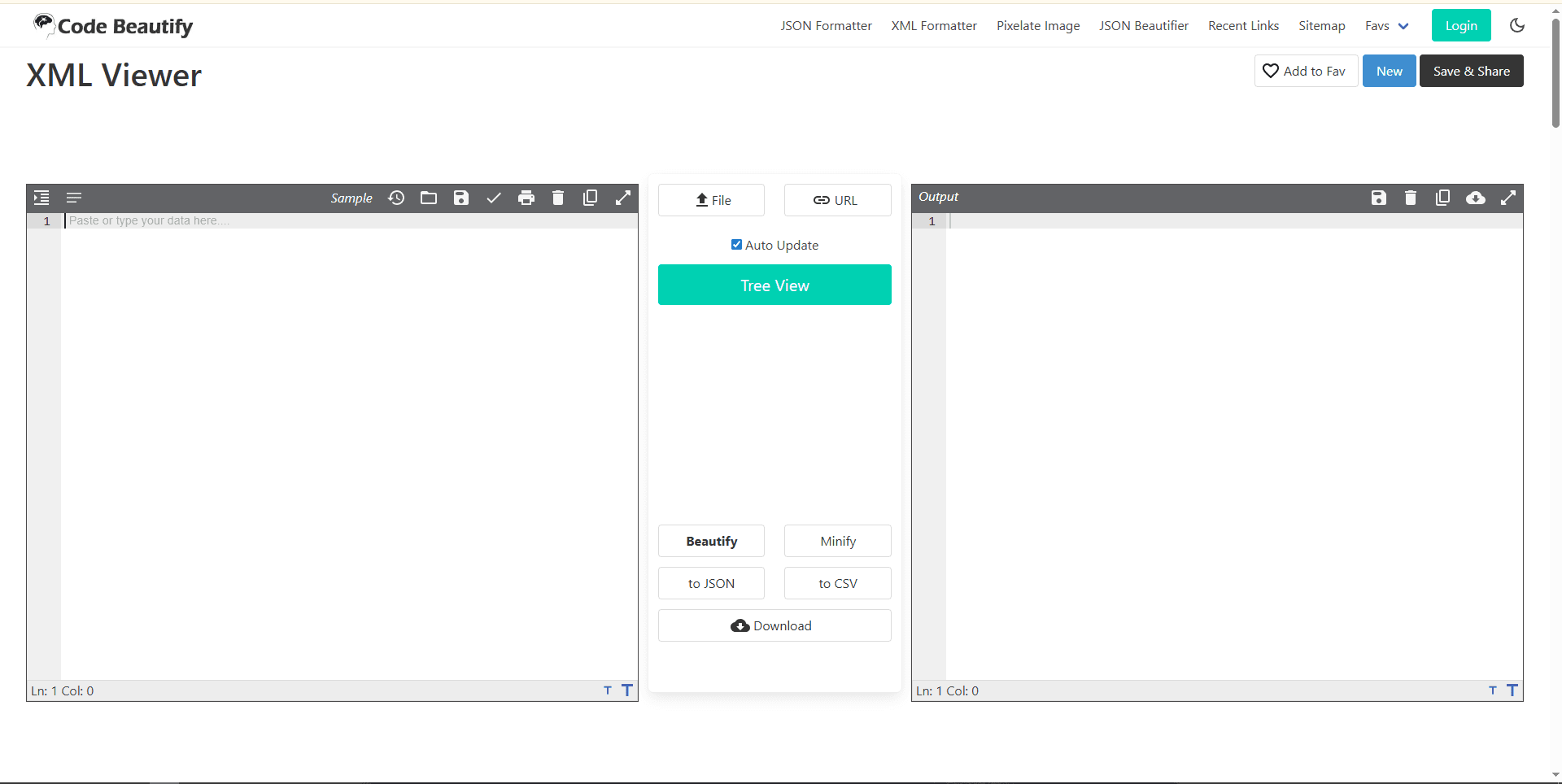
CodeBeautify XML Editor runs in a browser and is useful when you need to make an XML snippet readable without installing an app. It can format and minify XML, show a tree view, report malformed input, and convert XML to JSON or CSV.
Best for: quick inspection, formatting a sample, and viewing nested XML on a Mac you do not control.
Keep in mind: a well-formedness check is not the same as validation against your XSD. Also avoid putting credentials, customer records, private configuration, or other sensitive data into a third-party web tool unless its handling meets your organization's policy. Use an offline editor for confidential files.
8. Emacs with nXML Mode
GNU Emacs includes nXML mode for editing XML. It provides real-time validation and schema-sensitive completion when a RELAX NG Compact Syntax schema is available. It also includes commands for inserting balanced tags, selecting schemas, and navigating structured documents.
Install it through Homebrew if you prefer:
brew install --cask emacsBest for: existing Emacs users, keyboard-focused workflows, and projects that use RELAX NG schemas.
Keep in mind: nXML mode is centered on RELAX NG, not direct XSD validation. Converting or maintaining schema associations adds setup, and the editor has a substantial learning curve for newcomers.
9. TextMate
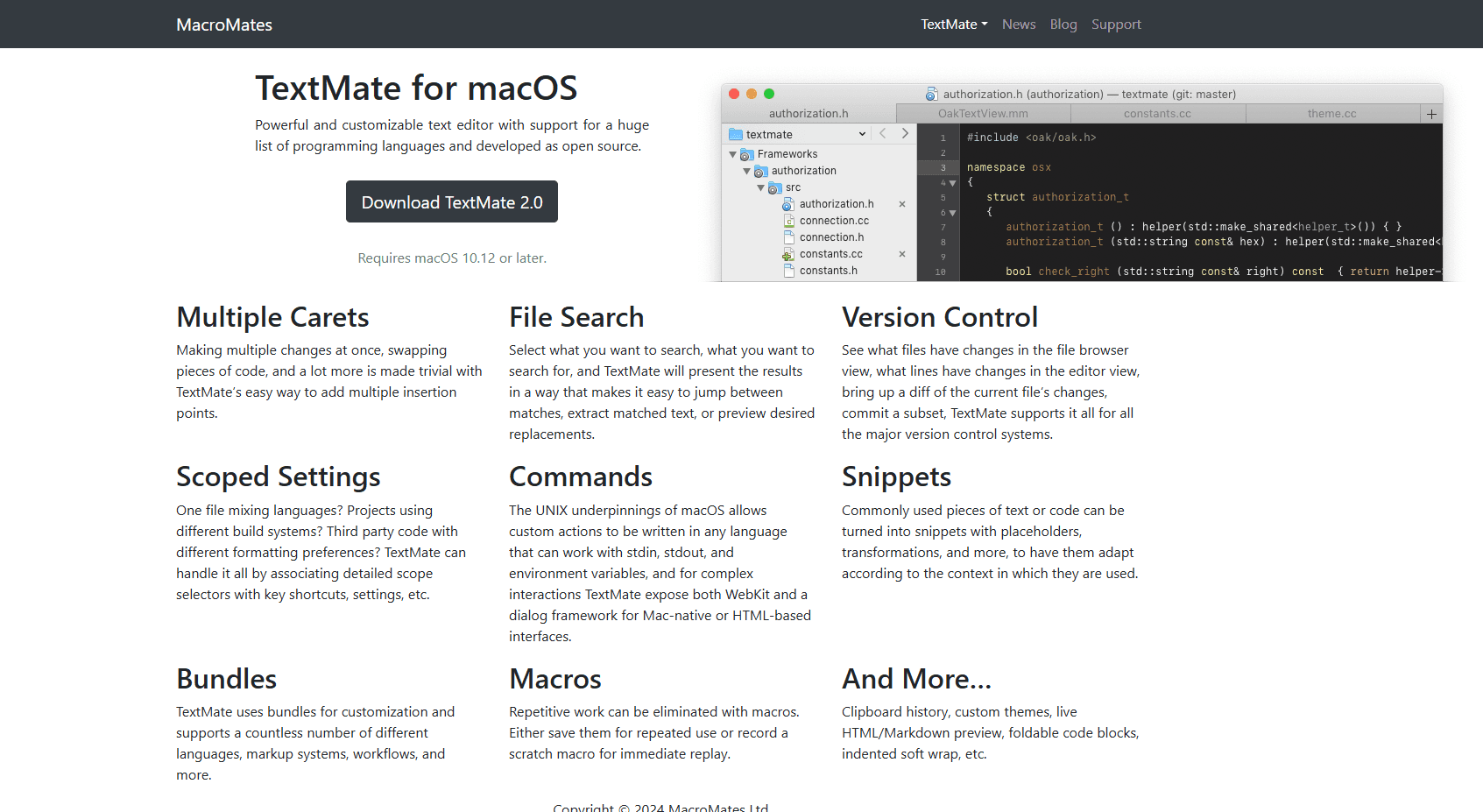
TextMate is a free, open-source text editor made for macOS. Bundles provide language and markup support, while multiple carets, project search, snippets, macros, foldable code blocks, and custom commands help with repetitive XML editing.
Install it with Homebrew:
brew install --cask textmateBest for: lightweight Mac coding, quick configuration edits, and users who like TextMate's bundle-based workflow.
Keep in mind: TextMate is best treated as a source editor, not a dedicated XML validation suite. Use an external validator or another editor when schema compliance is part of the job.
Which XML Editor Should You Use on Mac?
Choose based on the result you need, not the number of features on the product page.
- Choose VS Code + XML for the strongest free balance of editing, XSD or DTD validation, completion, and project support.
- Choose oXygen XML Editor when you develop XSLT or XQuery, design schemas, or maintain documentation systems such as DITA and DocBook.
- Choose BBEdit when you want a mature Mac-native editor with strong search and text-processing tools.
- Choose CotEditor when you want a simpler free Mac app for readable, encoding-aware text edits.
- Choose Nova + XML when you want schema assistance inside a Mac-native project editor and can accept a prerelease extension.
- Choose CodeBeautify only for non-sensitive snippets that need a quick format or tree view.
- Choose Emacs or TextMate if one is already central to your editing workflow.
Sublime Text remains a good middle option for quick manual editing, but the Indent XML package alone does not provide schema validation.
Validate Before You Replace the Original
Syntax highlighting can make a file easier to read without proving that it is valid. Before saving over an important XML file, check the level of validation your workflow requires:
- Well-formed XML has properly nested elements, quoted attributes, and one root element.
- Schema-valid XML also follows the elements, attributes, types, and ordering defined by an XSD, DTD, RELAX NG schema, or another validation language.
- Application-valid XML may have additional business rules that a schema does not express.
For repeatable command-line checks, Homebrew's libxml2 formula includes xmllint:
brew install libxml2
xmllint --noout file.xml
xmllint --schema schema.xsd --noout file.xml
Keep a backup when changing unfamiliar XML, especially if another application rewrites namespaces, declarations, whitespace, or encodings when it saves.
Quick Picks
You can also prepare files with our XML merger or XML file splitter before opening them in an editor.
Frequently Asked Questions
What is the best free XML editor for Mac?
VS Code with the XML extension by Red Hat is the best free general recommendation. It supports XSD and DTD validation, schema-aware completion, formatting, catalogs, and document navigation. CotEditor is a better free choice if you only need straightforward text editing in a native Mac app.
Does VS Code validate XML on macOS?
Yes. Red Hat's XML extension validates well-formedness and can validate against associated XSD or DTD schemas. You can declare the schema in the document or configure file associations and catalogs for the workspace.
What is the difference between an XML editor and an XML viewer?
An editor changes and saves source text. A viewer emphasizes readable presentation, often with an expandable tree. Some products do both, but a tree view does not guarantee schema validation, and syntax coloring does not prove that the document is well formed.
Which Mac XML editor is best for XSLT?
oXygen XML Editor is the clearest choice in this list for XSLT development because it includes transformation scenarios and debugging tools alongside XML, schema, and XQuery support. General text editors can edit an .xsl file, but they do not offer the same integrated workflow.
Is there a native XML editor for Mac?
BBEdit, CotEditor, Nova, and TextMate are Mac-native editors that can work with XML source. Their depth differs: CotEditor and TextMate focus on text editing, BBEdit adds extensive text processing and XML syntax checks, and Nova can gain schema-aware help through its XML extension.
Can I edit XML on Mac without installing software?
Yes. A browser tool such as CodeBeautify can format XML and display a tree view. Keep sensitive or regulated data in an offline editor unless you have reviewed and accepted the service's data-handling policy.
Using another platform? See the best XML editors for Windows, best XML editors for Linux, and best XML editors for Android.
Related guides:
Read More
All Articles
9 Best XML Editors for Windows in 2026 (Free & Tested)
Compare the best XML editors for Windows, including VS Code, Notepad++, XML Notepad, and Oxygen for validation, schema support, and large files.
7 Best XML Editor Apps for Android in 2026 (Tested & Ranked)
Find the best XML editor for Android for plain text XML, remote files, Git projects, and binary XML inside APKs. Compare QuickEdit, MP Manager, Acode, and more.
7 Best XML Editors for Linux in 2026 (GUI & Terminal)
Compare the best XML editor for Linux options with XSD validation, XPath support, and XSLT. From VS Code to oXygen. Find the right one for your workflow.