Bruno vs Postman in 2026: Which API Client Should You Use?

On this page
Bruno is the better fit when you want an offline-first API client whose collections live as readable files beside your code. Postman is the better fit when shared workspaces, hosted documentation, mock servers, monitoring, and access for non-developers matter more than a purely repository-centered workflow.
The old shorthand that Bruno supports Git while Postman does not is no longer accurate. Postman now has Native Git, while Bruno has expanded beyond its free edition with paid plans. Git and local files remain Bruno's foundation, whereas Postman combines local development with a broader cloud platform.
Both clients cover everyday REST, GraphQL, gRPC, and WebSocket work. Choose Bruno for a focused developer workflow with local ownership and straightforward diffs. Choose Postman for a platform that connects request testing to collaboration, documentation, mocks, governance, and production monitoring.
What Is Bruno?
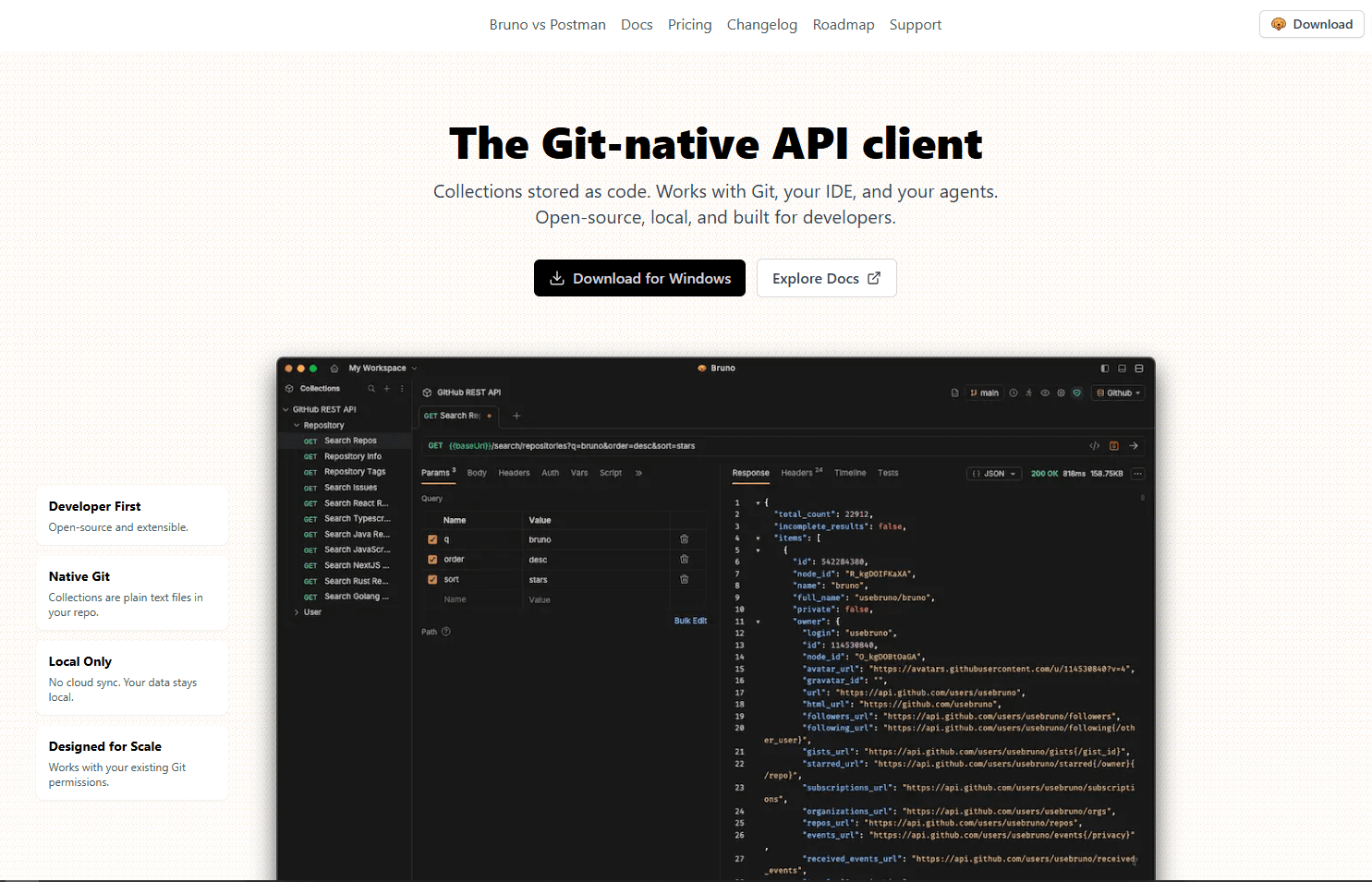
Bruno is an open-source, offline-first API client built around filesystem collections. Requests, environments, tests, and supporting files can live in a project folder, making them easy to version with the application they exercise. An account is not required for the core local workflow.
Bruno's open-source edition remains free, while Pro and Ultimate add deeper Git tooling, integrations, and support. The JSON merger can combine response files produced during API testing.
Download: Bruno
What Is Postman?
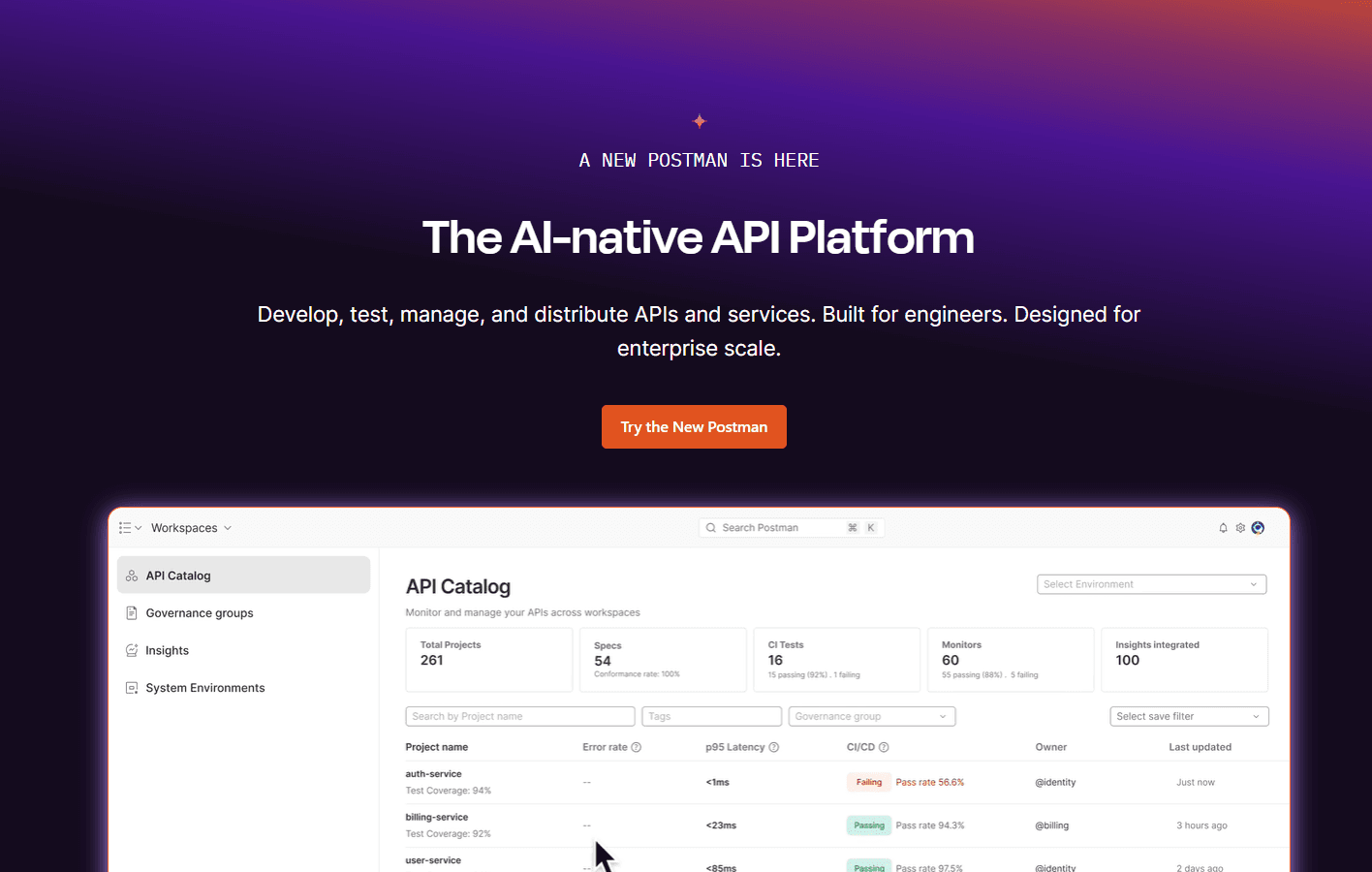
Postman is a multi-protocol API platform. It organizes collections and environments, runs tests, publishes documentation, creates mock servers, schedules monitors, and supports collaborative workspaces.
The desktop app also has a lightweight offline API client that works without signing in. It stores individual requests and history locally, but collections, environments, synchronization, and workspaces require the signed-in experience.
Download: Postman
Bruno vs Postman Quick Verdict
Choose Bruno if: Local ownership, readable collection files, offline work, and pull-request review are central to your development process.
Choose Postman if: You need a shared API platform with hosted documentation, mocks, monitoring, governance, or simple browser access for teammates who do not use Git.
Storage Architecture: Bruno Wins for Git Teams
Bruno: Collections use plain-text BRU or YAML files in folders you control. You decide whether they enter Git and which remote repository receives them, making a collection a natural companion to its service code.
Postman: Signed-in workspaces provide cloud synchronization and a central view for teams. Postman also supports a Native Git workflow in its desktop app, where API elements are written to a folder in a local repository before selected changes are synchronized to the cloud.
Bruno still wins when the repository is the primary source of truth. Postman's strongest collaboration and publishing features remain connected to its workspaces and cloud platform.
Interface: Bruno for Simplicity, Postman for Features
Bruno Interface
Bruno presents collections as familiar folders and requests, with focused screens for authorization, scripts, assertions, and responses. Developers can begin locally without account onboarding, and the filesystem model stays visible.
The interface is simpler, but it is no longer as bare as older comparisons suggest. Bruno includes a collection runner and can generate standalone HTML API documentation with request examples, scripts, and an interactive playground. It still offers fewer hosted lifecycle services than Postman.
Postman Interface
Postman's interface brings requests, collections, scripts, specifications, documentation, mocks, monitors, and team activity into one application. It can feel busy during basic testing, but reduces tool switching for teams using the wider platform.
Its guided controls and large learning ecosystem are useful for beginners and occasional collaborators. Experienced developers can use Local View and Native Git, while product, QA, support, and documentation teams can consume stable work through Cloud View and shared workspaces.
Performance: Bruno Wins
Bruno generally feels leaner because its product is centered on local collections and request execution. Postman integrates more platform surfaces and background services, so it can feel heavier when switching workspaces or opening larger projects with many services enabled.
Memory and startup results vary by operating system, version, workspace, and active services. If performance determines the choice, test both clients with the same representative collection on your team's machines.
Git Integration: Bruno Wins
Git is now a serious workflow in both products, but Bruno still makes it the simpler default. The distinction is less about whether Git exists and more about how directly each client treats collection files as ordinary project assets.
Bruno's Git Workflow
Bruno collections are already files in a chosen directory, so any Git client can version them without conversion. Diffs, branches, pull requests, and rollbacks use the same tools and permissions as the surrounding code.
Bruno 3 includes basic Git UI actions for free. Its Git collaboration documentation says GUI commits, pushes, branch management, and conflict resolution require Pro or Ultimate. Free-edition users can perform those operations with normal Git tools.
Postman's Git Workflow
Manual JSON export is no longer Postman's only route into version control. Native Git lets the desktop app edit local YAML files within a connected repository, follow the active branch, place API changes in pull requests, and synchronize stable versions to Postman Cloud.
Bruno remains easier when the repository is the complete workflow. Postman is compelling when developers want Git locally while other stakeholders use a curated cloud view.
Team Collaboration: Postman Wins
Postman's workspaces, comments, shared documentation, roles, activity history, and admin controls provide a central interface without requiring everyone to clone a repository or understand pull requests.
Bruno uses Git branches, reviews, and repository permissions. That creates an auditable engineering workflow but is less approachable for product managers, support staff, and technical writers. Paid editions improve its Git interface without turning Bruno into a Postman-style workspace platform.
Pricing: Bruno Wins for Cost
As of August 21, 2026, Bruno's pricing lists Open Source at $0, Pro at $6 per user per month billed annually, and Ultimate at $11 per user per month billed annually. The free edition covers the core local client; paid plans add Git, automation, integrations, and support.
Postman's pricing lists Free at $0, Solo at $9 per month, Team at $19 per user per month, and Enterprise at $49 per user per month when billed annually. Features and usage allowances vary, so verify both live pricing pages before buying.
Bruno wins when its free edition or lower-cost paid tooling covers the job. Postman's higher team cost can include collaboration, documentation, mocks, monitoring, and governance that an organization might otherwise source separately.
Security: Bruno Wins for Privacy
Bruno keeps collections on the local filesystem without requiring a cloud account. Teams must still exclude secrets from Git, protect environment files, review repository access, and secure CI variables.
Postman can synchronize API assets in its cloud, but also offers local controls. Its Local Vault keeps secrets on the current machine, while higher plans add shared vaults, SSO, roles, audit logs, governance, and secret-manager integrations.
Bruno is the clearer choice when data should remain in files and infrastructure your team controls. Postman may be the stronger enterprise choice when centralized policy, access management, and auditability matter more than avoiding a vendor cloud entirely.
Feature Comparison Table
For Beginners: Postman Wins
Postman remains easier for learning the wider API lifecycle because its guided interface, examples, public workspaces, and tutorials cover more than sending requests. Beginners can grow into tests, documentation, mocks, and monitors without changing products.
Bruno may feel simpler to developers who already understand files and Git. It avoids account setup for local work, but its collaboration model assumes concepts that non-developers may not know.
For Teams: Depends on Team Type
Bruno fits teams that already live in GitHub, GitLab, or Bitbucket and want API requests reviewed with application changes. The open-source edition can be enough when everyone is comfortable using normal Git tools, while paid editions reduce friction for people who prefer Git controls inside Bruno.
Postman fits cross-functional teams that want a shared portal, documentation, permissions, monitoring, and governance. Native Git gives developers a repository workflow, so decide whether the team also benefits from Postman's cloud layer.
Bottom Line
Pick the workflow, not the longest feature list. Bruno is the stronger default for local ownership and uncomplicated Git review, while Postman is the stronger platform for collaboration and API lifecycle services.
Choose Bruno if:
- Your repository should be the source of truth for API collections
- You want an account-free, offline-first core workflow
- You prefer readable local files and standard pull requests
- Your collaborators are comfortable with Git
- The open-source edition or lower-cost paid plans cover your needs
Choose Postman if:
- Non-developers need convenient access to shared API assets
- You want hosted documentation, mock servers, or monitoring
- You need workspace roles, governance, or enterprise administration
- You want Postman CLI, Newman, and platform automation
- You want both Native Git development and a published cloud view
Frequently Asked Questions
Is Bruno completely free?
Bruno has a free open-source edition, but the complete product range is not entirely free. Pro and Ultimate are paid plans that add advanced Git UI actions, integrations, automation, support, and organizational features. Check the current pricing and feature matrix before standardizing on an edition.
Can I import my Postman collections into Bruno?
Yes. Bruno can import exported Postman collections and environments. Requests, headers, variables, and many scripts transfer, but complex scripts or platform-specific services should be tested after migration rather than assumed to behave identically.
Does Bruno support GraphQL and WebSocket testing?
Yes. Bruno supports GraphQL, WebSocket, gRPC, and standard HTTP request workflows. Protocol depth changes as both products evolve, so test any advanced requirement such as subscriptions, streaming behavior, certificates, or specialized authentication before migrating a large collection.
What happens to my Bruno collections if I reinstall?
Collections normally remain in the filesystem location you selected, separate from the application installation. Reinstalling Bruno should not remove those project folders, but important collections should still be committed to a private repository or included in a tested backup process.
Is Postman still free in 2026?
Yes. Postman has a $0 Free plan for one user with the core API client, collections, environments, Native Git, documentation, mocks, and defined usage allowances. Paid Solo, Team, and Enterprise plans expand automation, collaboration, governance, security, and service limits.
Can I use Bruno without Git?
Yes. Git is optional, and Bruno can operate as a local API client with collections stored in ordinary folders. You lose version history, off-device backup, pull-request review, and team synchronization unless another system provides those capabilities.
Does Postman work offline?
Yes, with limits. The unsigned lightweight desktop client can build and send several request types, run post-response scripts, visualize responses, and retain local history. Saved collections, environments, synchronization, and collaborative workspaces require signing in and using the connected platform.
Which is better for REST API testing?
Both are capable REST clients. Bruno is better when local files, Git review, offline work, and a focused interface are the priorities. Postman is better when REST testing must connect to shared documentation, mocks, monitors, workspace collaboration, or enterprise governance.
Related Tools
Postman vs Insomnia - another API client comparison
How to Merge JSON Files - combine API response data
Read More
All Articles
Postman vs Insomnia in 2026: Which API Client Should You Use?
Postman vs Insomnia comparison for developers and teams. See which API client is better for automation, GraphQL, speed, collaboration, pricing, and daily API testing.
UltraEdit vs Notepad++: Which Is Better? (2026)
Compare UltraEdit vs Notepad++ for large files, feature depth, pricing model, and Windows text editing use cases.
VS Code vs IntelliJ for Java: IntelliJ Wins (Here's Why)
Compare VS Code vs IntelliJ for Java development, including refactoring, Spring Boot, debugging, Maven, Gradle, pricing, performance, and the best use cases for each.