8 Best EPUB Readers for iPhone & iPad in 2026 (Free & Paid)

On this page
Reading on an iPhone usually means fitting a book into short, one-handed sessions on a small screen. An iPad gives EPUBs more room and makes it easier to keep a book beside Notes, a browser, or another document. The best app therefore depends on whether you value simplicity, format support, detailed layout controls, or synchronization beyond Apple devices.
Apple Books remains the easiest starting point for most people because it opens DRM-free EPUB files and keeps reading progress, collections, highlights, and notes in sync through iCloud. The other readers below earn their place by offering something more specific, including custom typography, cross-platform libraries, OPDS and Calibre access, or support for additional ebook formats.
1. Apple Books (Best for Apple Ecosystem)
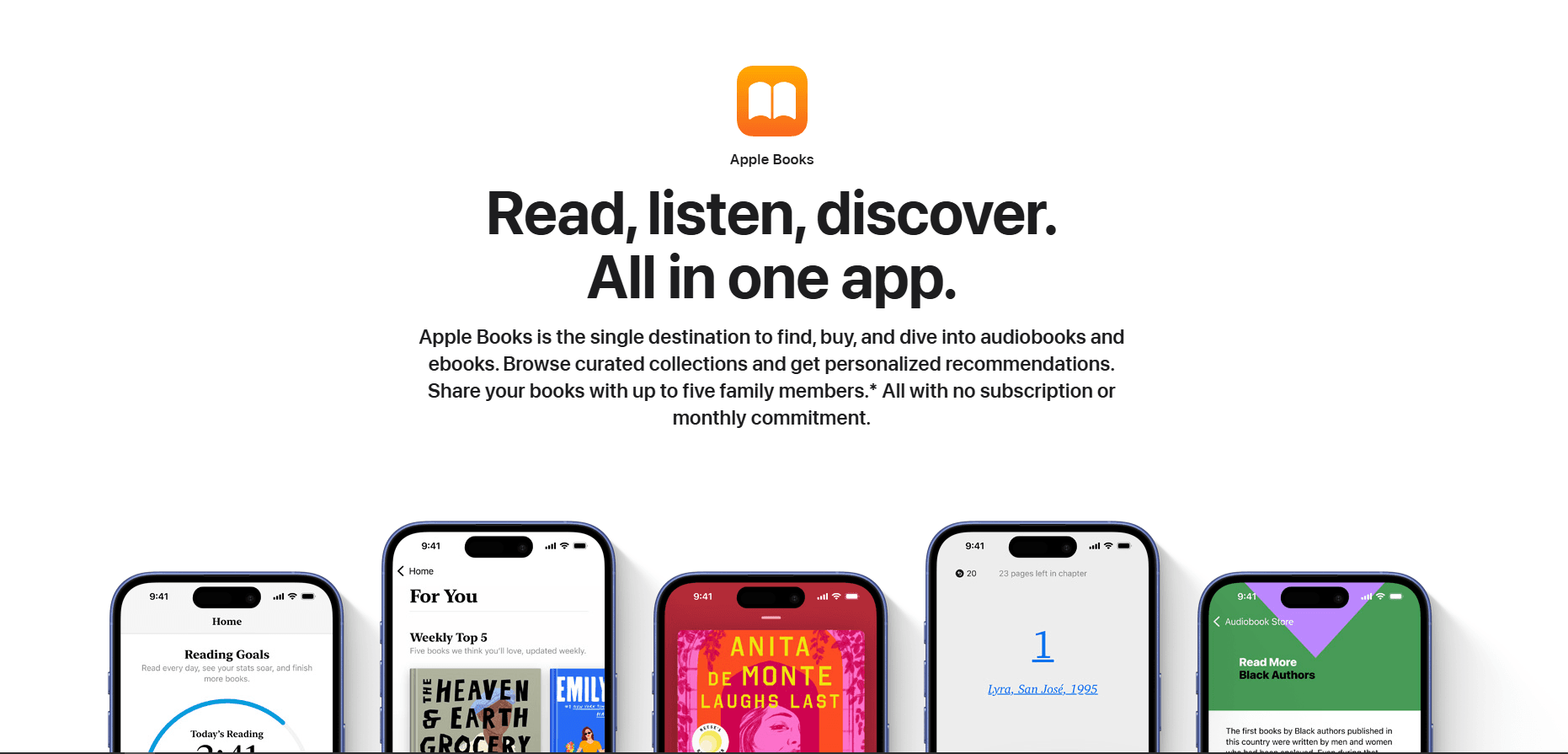
Apple Books is the most convenient EPUB reader for people who use an iPhone, iPad, and Mac. It is free, commonly included on Apple devices, and can be downloaded again from the App Store if it has been removed.
Open a DRM-free EPUB from Files, Mail, or Safari and choose Books from the share sheet. When Books and iCloud Drive syncing are enabled, Apple can sync the book, reading position, collections, bookmarks, highlights, and notes across supported devices.
What you get:
- Direct support for DRM-free EPUB and PDF files
- iCloud synchronization across iPhone, iPad, and Mac
- Highlights, notes, bookmarks, collections, and in-book search
- Adjustable fonts, text size, themes, margins, and scrolling
- Built-in dictionary, translation, and web lookup tools
- Reading Goals and progress tracking
- Comfortable portrait or landscape reading
- iPad multitasking beside Notes or another app
What you don't get:
- No Windows or Android app
- No support for MOBI, FB2, CBZ, or CBR
- No EPUB metadata editor or OPDS catalog support
- No freehand Apple Pencil drawing on reflowable EPUB pages
Apple Books is the best default choice if your library is primarily DRM-free EPUBs or books purchased from Apple. Its collections are sufficient for a modest library, although readers with mixed formats or non-Apple devices will need a more flexible alternative.
2. KyBook 3 (Best for Customization)
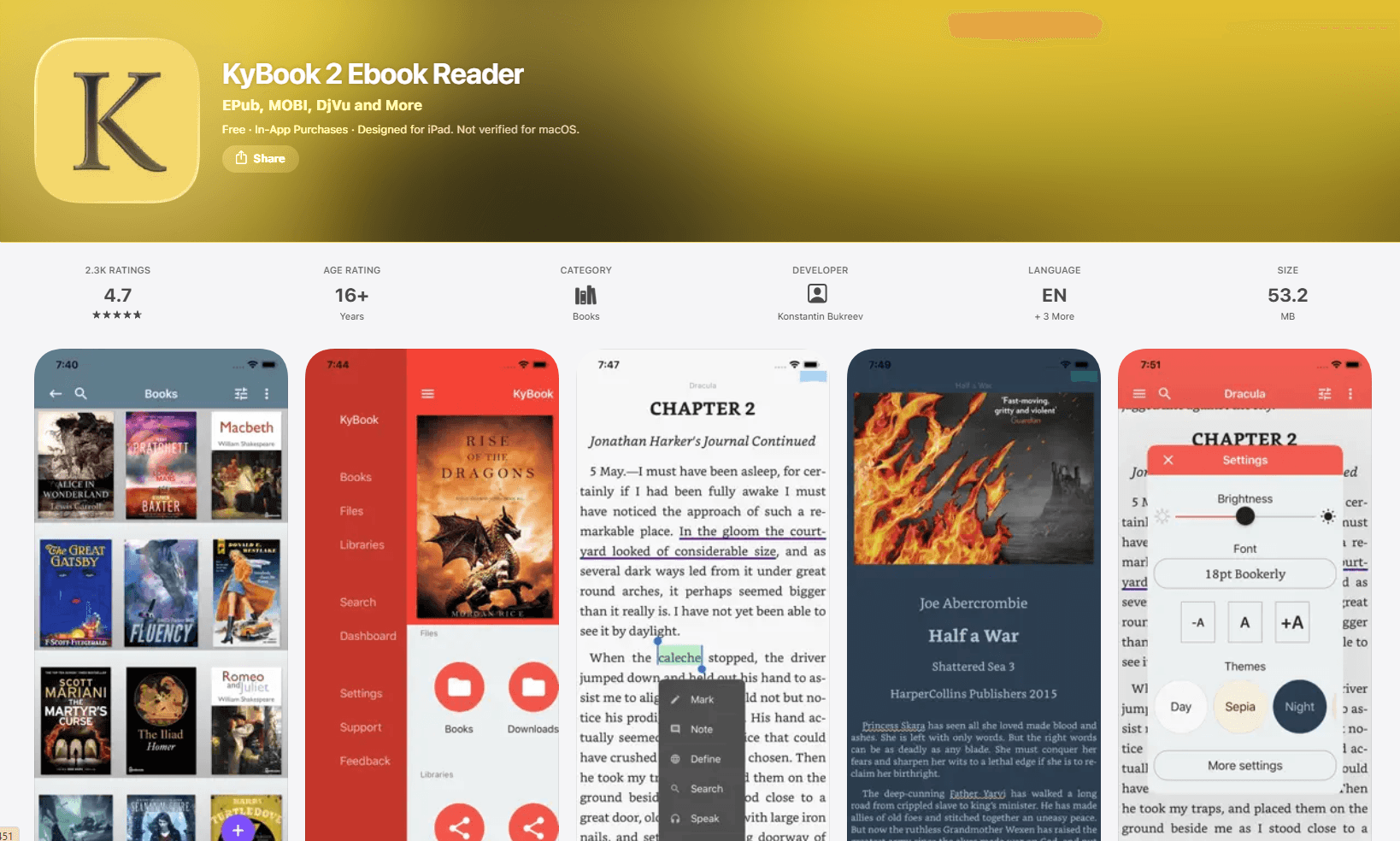
KyBook 3 is a configurable reader for people who want more control over typography, gestures, catalogs, and local files. The app is free to download, with Pro and subscription options shown as in-app purchases; prices can vary by country.
What you get:
- DRM-free EPUB, PDF, MOBI, AZW3, FB2, DjVu, CBZ, CBR, and audiobook support
- Controls for fonts, colors, margins, paragraph indentation, alignment, and hyphenation
- Custom themes, tap zones, gestures, and auto-scrolling
- Highlights, bookmarks, text notes, and drawn annotations with Apple Pencil
- OPDS catalogs and built-in library organization
- Connections to iCloud, Dropbox, Google Drive, OneDrive, and WebDAV-compatible storage
- Text-to-speech and dictionary support
- Good controls for both one-handed iPhone reading and larger iPad layouts
What you don't get:
- DRM-protected store books are not its focus
- The number of settings can feel excessive for casual readers
- Some advanced features require an in-app purchase
KyBook 3 is the best fit for readers who care about precise presentation and maintain a personal collection in several formats. It is less polished than Apple Books, but its customization and file-management tools go much further.
3. Readest (Best for Power Readers on iPad)
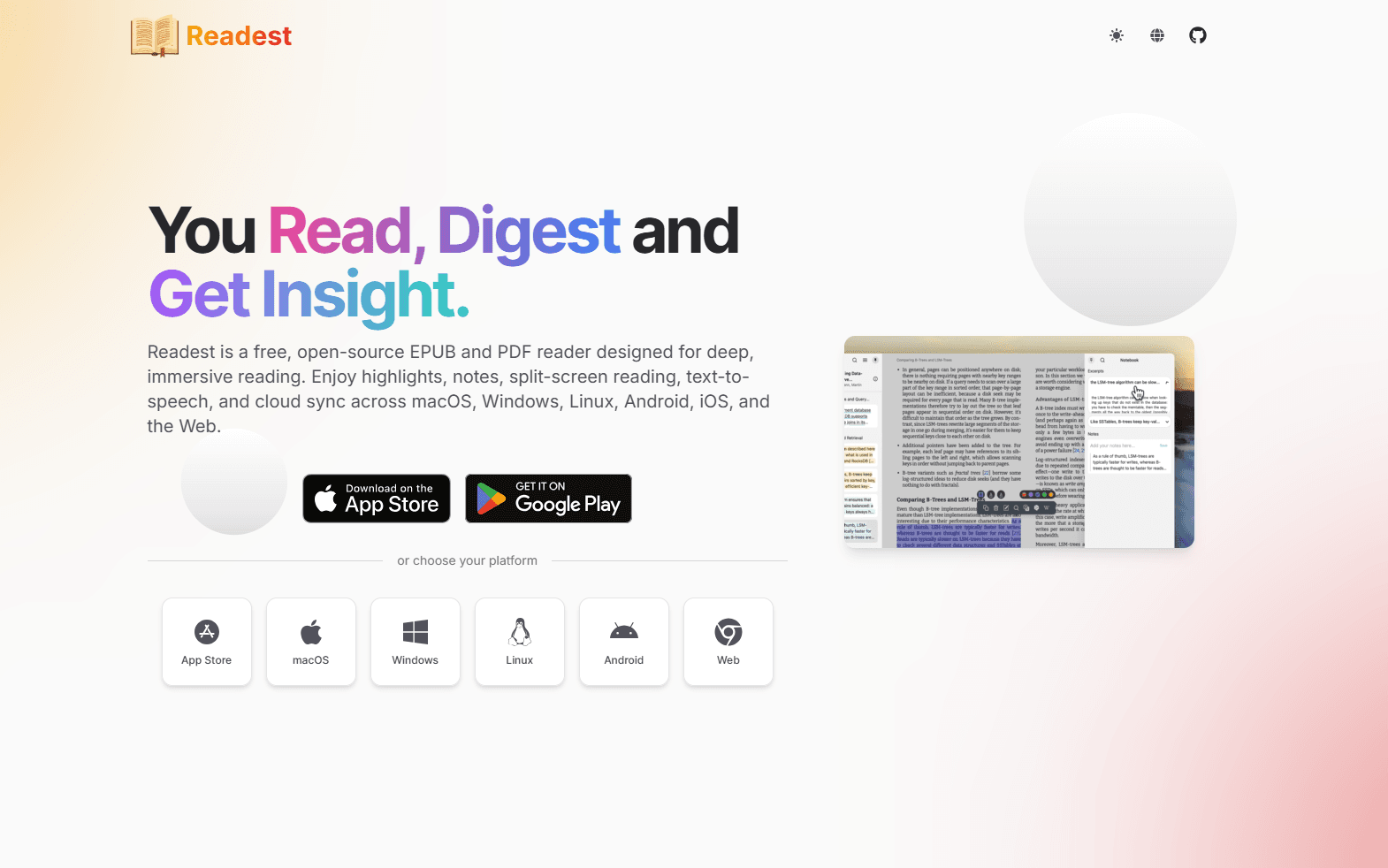
Readest is an open-source reader with unusually strong multitasking, library, and synchronization options. It works on iPhone and iPad, while its ability to open as many as four books at once is particularly useful on a larger iPad screen.
What you get:
- EPUB, PDF, MOBI, AZW3, FB2, CBZ, TXT, and Markdown support
- Paginated and scrolling layouts with adjustable fonts, spacing, margins, and themes
- Highlights, bookmarks, structured notes, and annotation export
- Text-to-speech with downloadable voices
- OPDS catalogs and Calibre or Calibre-Web connections
- Readest Cloud plus iCloud, Google Drive, OneDrive, WebDAV, and S3 options
- Cross-platform apps and a web reader
- Multi-window reading on iPad
What you don't get:
- Some cloud capacity and advanced services are paid
- The broad feature set takes longer to learn than Apple Books or Yomu
- It is newer than several established readers in this list
Readest is the strongest choice here for readers who want several books, notes, and library sources available in one workspace. It also suits anyone who wants an open-source reader that is not limited to Apple hardware.
4. Yomu (Best for Customization & Reading Focus)
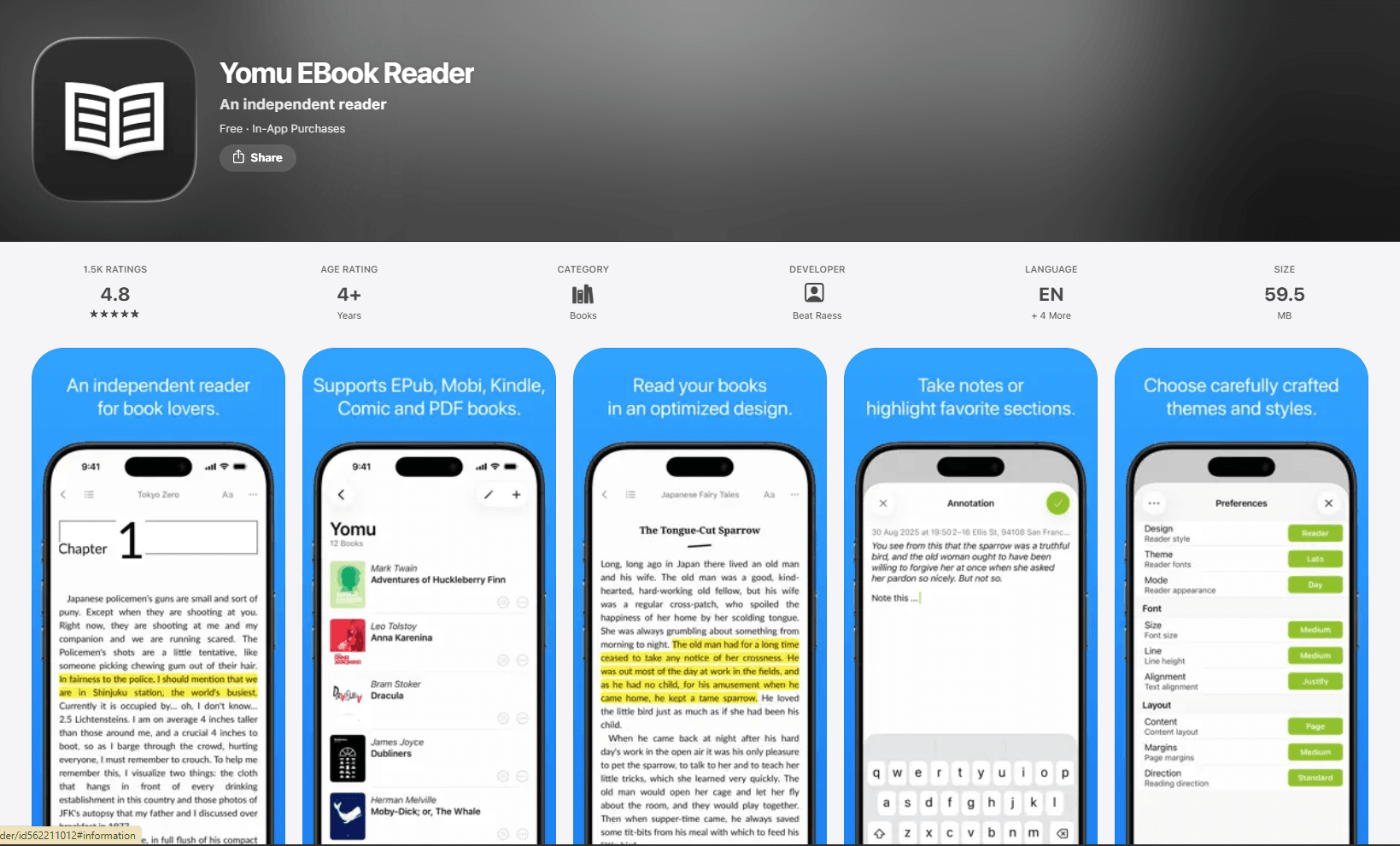
Yomu combines a quiet interface with enough customization for long reading sessions. It supports DRM-free books and is available on iPhone, iPad, and Mac.
What you get:
- EPUB, MOBI, PRC, AZW, AZW3, KF8, CBZ, CBR, and PDF support
- Paginated or scrolling layouts with adjustable type and themes
- Highlights, notes, bookmarks, and in-book search for supported ebook formats
- Metadata editing for titles, authors, summaries, and covers
- Annotation export as text, Markdown, or JSON
- Widgets for recent books and highlighted quotations
- All reading formats, themes, and basic settings in the free edition
Pro features:
- iCloud library and annotation synchronization
- Unlimited documents
- Removal of advertisements
- A one-time purchase that covers iPhone, iPad, and Mac through Universal Purchase
What you don't get:
- The free edition limits the number of documents
- Cloud synchronization requires Yomu Pro
- EPUBs protected by DRM are not supported
Yomu is a good choice when the reading interface matters more than advanced library integrations. The free version is useful enough to evaluate properly, while the one-time Pro upgrade is most valuable for readers who move between an iPhone, iPad, and Mac.
5. Kindle (Best for Amazon Users)
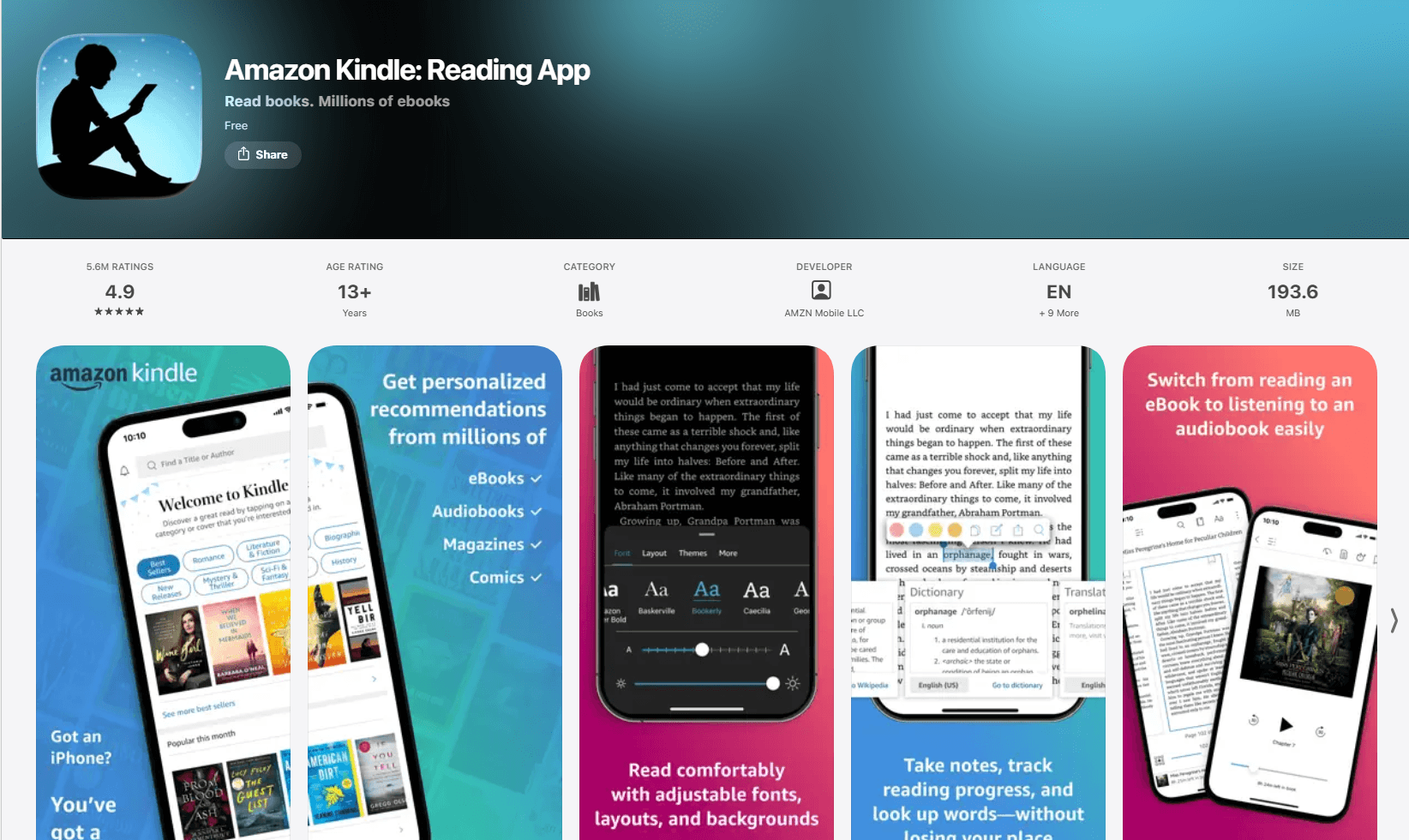
Amazon Kindle is the natural choice for books purchased from Amazon. It synchronizes compatible books, reading position, bookmarks, highlights, and notes across Kindle devices and supported apps.
What you get:
- Automatic access to Kindle purchases and eligible Kindle Unlimited or Prime titles
- Whispersync for reading position, bookmarks, highlights, and notes
- Adjustable fonts, margins, alignment, themes, brightness, and continuous scrolling
- Dictionary, translation, Wikipedia, X-Ray, and in-book search tools
- Page Flip and reading-progress estimates
- Audible narration integration for compatible purchases
- iPhone, iPad, Mac, Android, Windows, and web access
What you don't get:
- Personal EPUBs are sent through Amazon's Send to Kindle service and converted for the Kindle library
- No direct management of EPUB files as a local folder-based library
- Store books and personal documents remain tied to an Amazon account
- No freehand Apple Pencil annotation for EPUB content
Kindle is best for an existing Amazon library or for readers who regularly switch between an iPhone, iPad, Kindle device, and another platform. For a collection of local DRM-free EPUB files, Apple Books, Yomu, or Readest offers a more direct workflow.
6. Kobo Books (Best for Kobo Users)
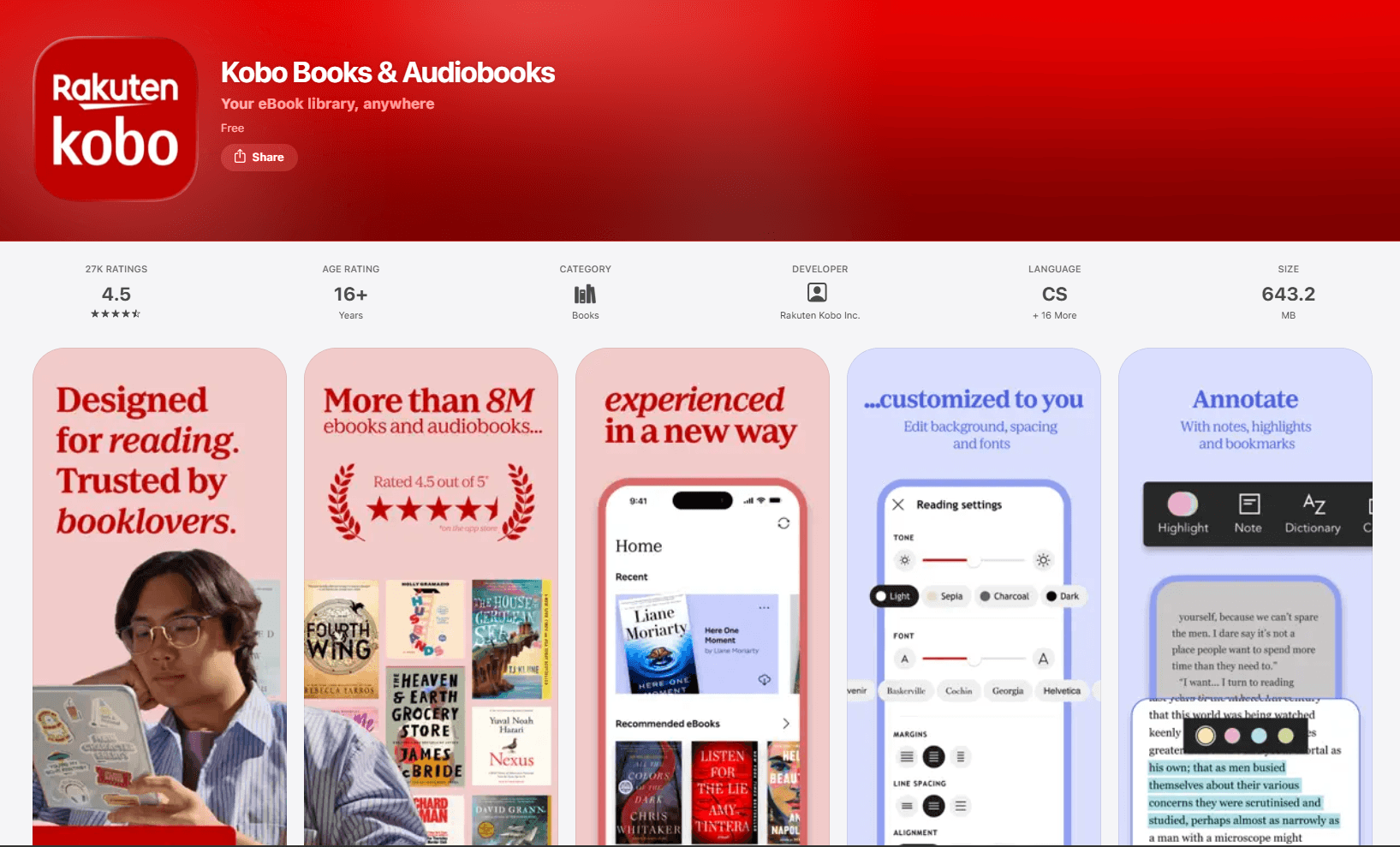
Kobo Books is Kobo's official iPhone and iPad reader. It is free and makes the most sense for people who buy from Kobo or already own a Kobo e-reader.
What you get:
- Synchronization with Kobo e-readers and Kobo apps
- EPUB, EPUB2, EPUB3, PDF, FlePub, MOBI, and EPUB3 audio/video support on iOS
- Reading-position, bookmark, highlight, and note synchronization for supported books
- Adjustable fonts, themes, and reading layouts
- Reading statistics and progress tracking
- Audiobooks and the Kobo store in the same ecosystem
What you don't get:
- An account is required for Kobo library synchronization
- Adobe Digital Editions files cannot be transferred into the Kobo iOS app
- Fewer controls for personal-library organization than KyBook 3 or Readest
- No freehand Apple Pencil annotation on EPUB pages
Kobo Books is the best option for readers already invested in Kobo. Its iOS app is not restricted to DRM-protected EPUBs; Kobo officially lists EPUB, EPUB2, and EPUB3 among its supported formats.
7. PocketBook Reader (Best Format Support)
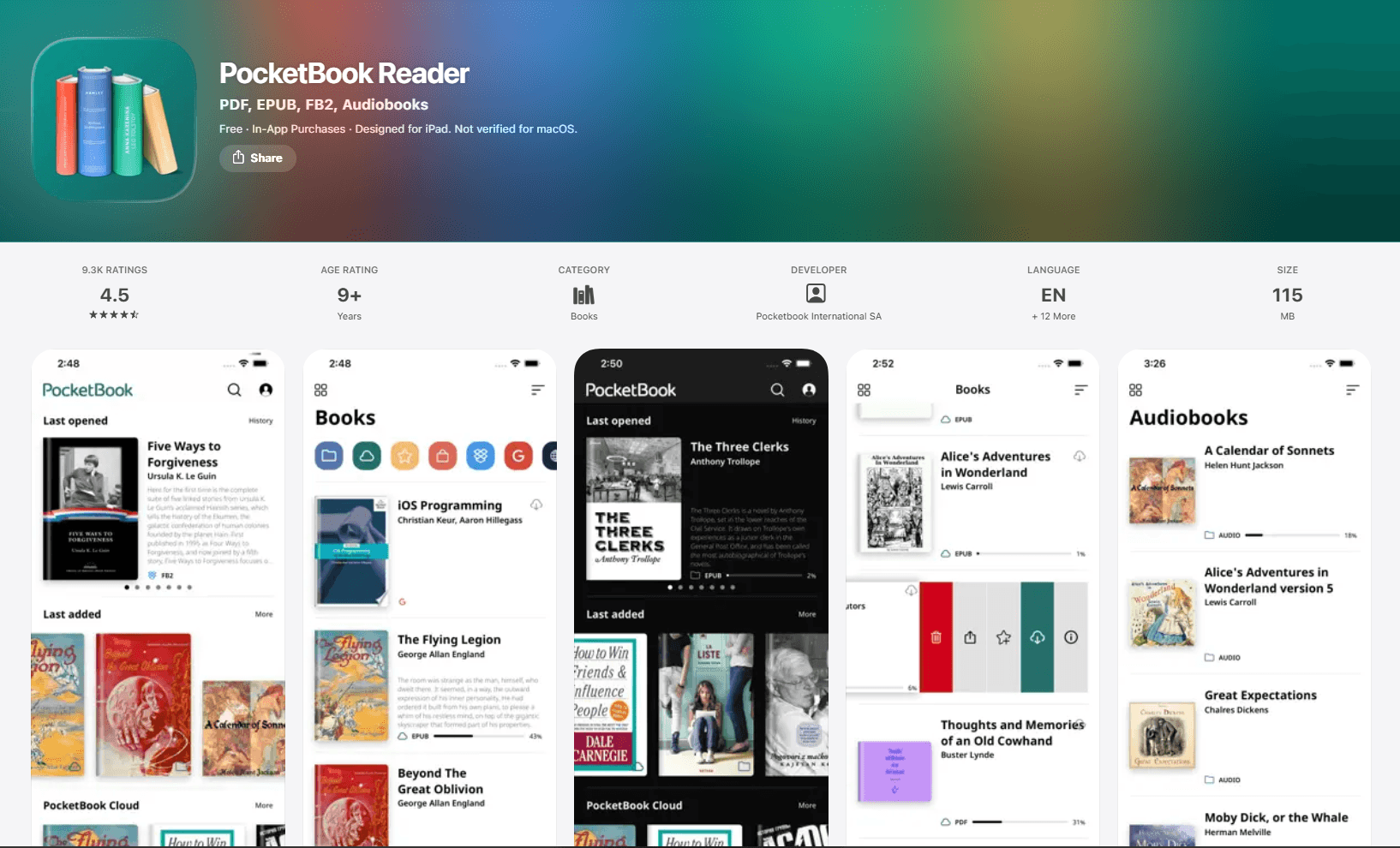
PocketBook Reader is a free, ad-free reader for people whose library extends beyond EPUB. It supports ebooks, comics, documents, and audiobooks on both iPhone and iPad.
What you get:
- Support for 26 book and audio formats
- EPUB, EPUB with Adobe DRM, MOBI, FB2, PDF, DjVu, DOCX, RTF, TXT, HTML, CBZ, and CBR
- Audiobook playback and text-to-speech
- Highlights, notes, bookmarks, and dictionaries
- OPDS catalogs and library organization
- PocketBook Cloud plus connections to services such as Dropbox and Google Drive
- Adjustable themes, fonts, margins, line spacing, and page-turning controls
What you don't get:
- The interface is denser than Apple Books or Yomu
- Cloud features require an account
- Its many format and service options can be unnecessary for EPUB-only libraries
PocketBook Reader is the most practical free option for a mixed collection. It is especially useful when EPUB files sit beside PDFs, comics, audiobooks, and older ebook formats.
8. BookFusion (Best for Cross-Platform Libraries)
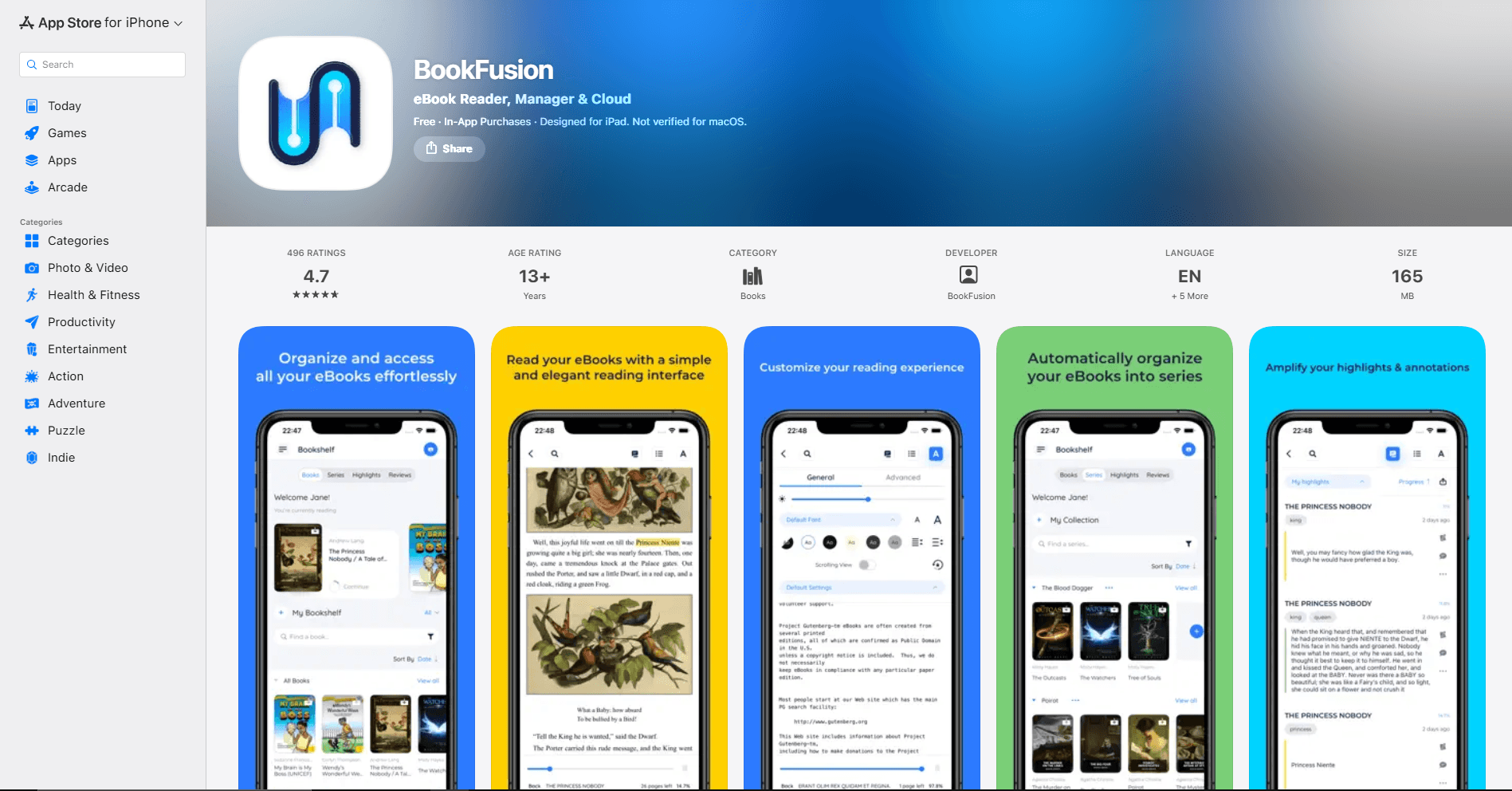
BookFusion combines an EPUB reader with a hosted library and synchronization service. It is free to download with optional paid plans and is designed for readers who want the same personal collection on iPhone, iPad, Android, and the web.
What you get:
- EPUB, EPUB 3, PDF, CBZ, and CBR reading online or offline
- Synchronization for books, reading position, bookmarks, highlights, and notes
- Detailed controls for fonts, margins, spacing, colors, and layout
- Highlight and annotation export in CSV, Markdown, HTML, and PDF formats
- Calibre integration with metadata, series, tags, and custom-column support
- Text-to-speech and support for vertical writing
- iPad multi-window support for books and highlights
- Cross-platform access beyond the Apple ecosystem
What you don't get:
- Cloud-library limits and some capabilities depend on the selected plan
- It requires an account for its central synchronization features
- Readers who keep everything in iCloud may not need another hosted library
BookFusion is the best fit for a carefully organized personal library that needs to follow you across platforms. Its Calibre integration and annotation export also make it more suitable than a store-focused reader for research and long-term collection management.
EPUB Reader Comparison Table
Which EPUB Reader Should You Actually Use?
Choose Apple Books if you want the simplest route from an EPUB file to comfortable reading and use Apple devices exclusively. Choose KyBook 3 when typography, gestures, OPDS catalogs, and mixed-format library controls matter more than a minimal interface.
Readest is better for multi-book work on an iPad, while Yomu offers a calmer experience for ordinary reading. Kindle and Kobo are strongest when your books already live in their respective stores. PocketBook is the best free option for a library containing many file types, and BookFusion is the most useful choice for a Calibre collection or a library that must stay synchronized across Apple and non-Apple devices.
Using more than one reader is reasonable. You might keep purchases in Kindle or Kobo, open occasional DRM-free EPUBs in Apple Books, and manage a larger personal library in BookFusion, Readest, or KyBook 3.
iPhone-Specific Tips
Make one-handed controls easier:
- Test both tap-to-turn and swipe-to-turn controls before committing to an app.
- Use customizable tap zones in readers such as KyBook 3 when the default controls feel awkward.
- On Face ID models, enable Reachability and swipe down on the bottom edge of the screen when top controls are difficult to reach.
- Increase type size slightly and reduce margins before choosing a condensed font; this usually preserves readability without squeezing each line.
Prepare for offline reading:
- Download books before a flight or commute rather than assuming a cloud title is stored locally.
- Confirm that the cover or download indicator shows the full book is available offline.
- Keep synchronization enabled if reading position and notes must update on another device later.
- Use Low Power Mode and a comfortable screen brightness when battery life matters.
Reduce interruptions:
- Choose a reader theme that remains comfortable at your current brightness.
- Use a Focus mode to silence nonessential notifications.
- Enable orientation lock if page rotation interrupts reading in bed or on public transport.
- Read only when safely seated; text-to-speech or an audiobook is more appropriate when you need to watch your surroundings.
iPad-Specific Tips
Use the larger screen deliberately:
- Place Apple Books or another reader beside Notes when you need separate handwritten notes.
- Use Readest's multi-window support when comparing several books or passages.
- Try portrait orientation for long-form reading and landscape for reference books, diagrams, or wider fixed-layout pages.
- On supported iPads, windowed multitasking can keep a reader, browser, and notes visible without repeatedly switching apps.
Understand Apple Pencil support:
- KyBook 3 lists drawn annotations in ebooks, including Apple Pencil input.
- Most readers support text selection, highlights, and typed notes but do not let you draw freely on reflowable EPUB pages.
- Apple Books highlights and notes should not be confused with PDF-style freehand markup.
- If handwriting directly over every page is essential, converting a personal document to PDF may provide a better annotation workflow, although it removes EPUB's reflowable layout.
Check keyboard behavior inside your chosen app:
- Hardware-keyboard shortcuts vary between readers and releases.
- Hold the Command key in a supported app to see the shortcuts currently available.
- Search, page navigation, and text-size controls may use different keys, so avoid relying on a universal shortcut list.
Universal iOS Tips
Set up Apple Books synchronization correctly:
Go to Settings > your name > iCloud > See All next to Saved to iCloud, then enable Books for reading position, bookmarks, notes, and highlights. Under Settings > Apps > Books, enable Home and iCloud Drive to synchronize the library and collections.
Keep source files organized:
- Store original DRM-free EPUB files in a clearly named folder in Files or your preferred cloud service.
- Keep a separate backup if the only copy currently lives inside one reader's private library.
- Avoid importing duplicate copies into several apps unless you intentionally want separate reading histories.
- Remember that an ACSM file is a license-delivery file, not the EPUB itself, and requires a compatible DRM workflow.
Test synchronization before relying on it:
Open a book on one device, add a temporary bookmark, and confirm it appears on the other device. This quick check reveals account, cloud-storage, or app-setting problems before you build a large annotation library.
Frequently Asked Questions
What's the best free EPUB reader for iPhone and iPad?
Apple Books is the best free choice for a straightforward Apple-only workflow. PocketBook Reader is better when you need many formats, while Readest is worth considering when cross-platform access and advanced library connections matter.
Does iPhone and iPad have a built-in EPUB reader?
Apple Books is Apple's EPUB reader and is commonly included on iPhone and iPad. If it has been removed, it can be downloaded again from the App Store. It opens DRM-free EPUB files and can synchronize your library and reading data through iCloud.
Can I read EPUB files on iPhone and iPad?
Yes. Apple Books, KyBook 3, Readest, Yomu, Kobo Books, PocketBook Reader, and BookFusion can read compatible EPUB files. Kindle accepts personal EPUB documents through Send to Kindle and converts them for the Kindle library rather than treating them as ordinary local EPUB files.
How do I open EPUB files on iPhone and iPad?
Find the EPUB in Files, Mail, or Safari, open the share sheet, and select Books or another installed reader. If the app is not shown, choose More and enable it. DRM-protected books may need the bookstore or library app associated with that protection.
Can I annotate EPUB files with Apple Pencil on iPad?
KyBook 3 lists drawn annotations with Apple Pencil in ebooks. Other readers commonly offer text highlights and typed notes, but that is different from drawing directly on a reflowable page. Confirm the exact annotation behavior with one of your own EPUBs before choosing an app for coursework.
What's the best EPUB reader for one-handed reading on iPhone?
Yomu is a strong choice for a clean interface, while KyBook 3 is better when you want configurable gestures and tap zones. Apple Books remains adequate if you prefer fewer controls and already use iCloud synchronization.
Can I sync EPUB books across iPhone, iPad, and Mac?
Yes. Apple Books and Yomu Pro can use iCloud across Apple devices. Readest offers iCloud and several other services, while BookFusion synchronizes its hosted library across multiple platforms. Kindle and Kobo synchronize compatible books and reading data through their own accounts.
What's the best EPUB reader for iPad with split-screen?
Readest is the most flexible option in this list because it can open multiple books on iPad. Apple Books works well beside Notes for a simple reading-and-notes layout, while BookFusion can open books or highlights in separate iPad windows.
Related Reading
Using a different platform? See platform-specific EPUB reader guides:
- Best EPUB readers for Mac for macOS options
- Best EPUB readers for Android for Android phones and tablets
- Best EPUB readers for Windows for Windows 11 and 10
For more Apple-focused reading and writing guides:
Read More
All Articles
7 Best EPUB Readers for Mac in 2026 (Free & Paid)
Find the best EPUB reader for macOS with library management, annotations, and sync. Compare Apple Books, Calibre, Thorium Reader, and more for reading ebooks on Mac.
8 Best EPUB Readers for Android in 2026 (Free & Paid)
Compare the best EPUB reader apps for Android, including ReadEra, Moon+ Reader, Google Play Books, Kobo, Kindle, FBReader, and Lithium.
7 Best EPUB Readers for Chromebook in 2026 (Free & Paid)
Find the best EPUB reader for Chromebook with Android apps, Chrome extensions, and Linux apps. Compare Google Play Books, ReadEra, EPUBReader, and more for reading ebooks.